
A security investigation published on 5 November 2026 has raised a serious question for developers using AI coding assistants: what happens when a command containing a secret is approved permanently and that approval is later committed to GitHub? According to Apiiro, the answer is not theoretical. Researchers identified 1,122 publicly accessible copies of a Claude Code settings file that contained at least one credential.
The finding does not mean Anthropic suffered a centralised breach or that every exposed password remains valid. It highlights a developer-workflow failure: local configuration files can retain the full text of approved shell commands, including credentials, and those files may subsequently become part of a public repository.
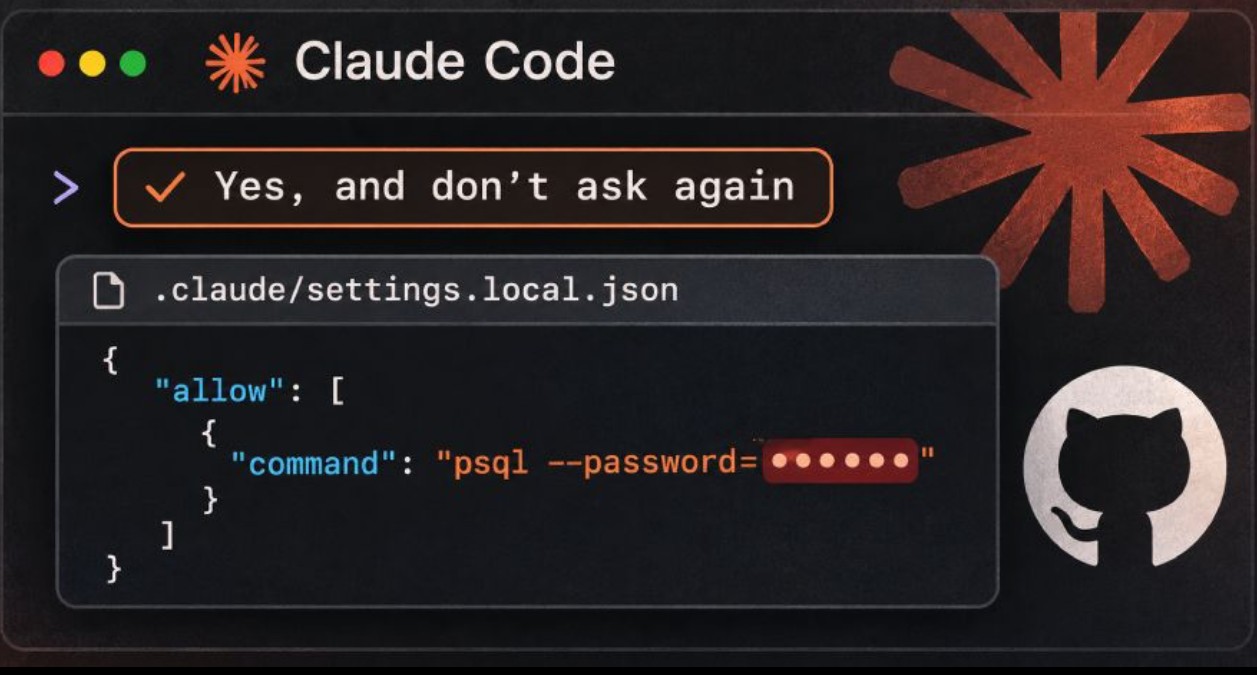
What Apiiro found: the numbers behind the disclosure
Apiiro reported examining 104,185 public copies of .claude/settings.local.json across 103,617 GitHub repositories. It classified 1,122 files, approximately 1.1% of the sample, as containing secrets. Those current copies contained 1,379 distinct credentials. Its expanded investigation, covering earlier Git versions, shared agent settings and saved transcripts, identified 2,539 distinct secrets across 1,994 repositories.
The exposed data spanned database credentials, cloud access keys, API tokens and remote-server logins. The researchers reported 379 database passwords, 122 Supabase service-role keys, 43 SSH credentials, 42 GitHub/GitLab/npm tokens and 23 AWS keys. They associated affected material with 63 organisations, predominantly software businesses. These figures are the researchers' classifications, not independently verified counts of successful intrusions.
How 'Yes, and don't ask again' creates the risk
Claude Code normally asks for permission before executing many shell commands. Selecting 'Yes, and don't ask again' can create a persistent allow rule. The official Claude Code documentation confirms that standing approvals for Bash commands are written to the local project file .claude/settings.local.json.
A permission rule may describe a broad command pattern, or it may store a specific command. If the approved command includes a database password, bearer token or API key as a literal value, that value can be captured in the rule as ordinary, readable text. The secret is no longer confined to the original configuration or secrets manager: it has acquired another copy in the agent's local settings.
Consider a developer troubleshooting a staging database connection. A command might include a password argument or a connection string. If that exact command is permanently approved, its sensitive argument can remain in the allow list long after troubleshooting ends. A later commit can then publish the configuration alongside otherwise harmless project files.
Why Git's local ignore protection is not enough
Anthropic documents an important safeguard: when Claude Code creates this file inside a Git repository, it adds an exclusion to the user's global Git ignore configuration. This helps prevent ordinary accidental commits on that machine. However, a global exclude is not a project-level .gitignore rule and does not automatically accompany the repository to other devices, clones or contributors.
It also cannot retroactively protect a file that Git already tracks. A file can reach a repository through a previously tracked copy, an unusual setup, a later repository initialisation or a different environment. Apiiro reported that in 539 of 1,105 affected repositories it traced, a commit that modified the file listed Claude as a co-author. That observation indicates involvement in commits, not proof that the agent intentionally disclosed credentials.
Deleting the file does not delete the exposure
Version control preserves earlier snapshots. Apiiro found 734 credentials in historical versions of settings.local.json that were no longer present in the current file. The report also identified 211 forks of 74 repositories carrying the same secrets. Removing the latest file, changing its visibility or adding a new ignore rule does not revoke an already exposed credential.
Public forks, cloned repositories, build archives, Docker images and copied project folders can extend the exposure. For that reason, credential rotation or revocation must happen before repository history cleanup. Treat any secret that was publicly accessible as potentially compromised, even if no misuse has been confirmed.
Why conventional secret scanners can miss this pattern
The study compared detections from two widely used tools. Of the 1,122 settings files classified as containing a secret, Gitleaks flagged 564 and TruffleHog flagged 643; 215 were flagged by neither tool. Some missed values were ordinary-looking passwords inserted into command-line arguments, rather than distinctive provider keys with recognisable formats.
This makes AI-agent approvals, saved transcripts, memory files and handoff notes useful additions to a security scanning scope. A clean secret-scanning result does not, by itself, establish that every command-line password has been found.
Practical response: how developers should audit their projects
1. Check whether .claude/settings.local.json or .claude/settings.json is currently tracked. Run git ls-files -- .claude/settings.local.json .claude/settings.json in each repository. Review sensitive allow rules locally without copying credentials into tickets or chat tools.
2. Search history as well as current files. For example, git log --all -- .claude/settings.local.json lists commits that touched the local settings path. Extend the review to all relevant branches, old tags, forks and release artefacts. Do not assume a deleted file was never public.
3. Rotate or revoke every affected credential first: database passwords, access tokens, signing keys, cloud secrets and SSH credentials as applicable. Review the associated service's audit logs and access scope, and invalidate sessions when appropriate. A repository cleanup cannot make an old token safe again.
4. Stop tracking the local settings file if necessary with git rm --cached .claude/settings.local.json, then place .claude/settings.local.json in the repository's own .gitignore. This prevents future accidental commits on other collaborators' machines, but it does not clean history or remove public forks.
5. Replace literal secrets in shell commands with environment-variable references or values retrieved securely at runtime. Give the AI assistant a variable name rather than the password itself whenever feasible. Use narrowly scoped, short-lived credentials and human approval for high-risk commands.
What engineering and security teams should change
Organisations should expand repository and developer-workstation checks beyond traditional .env files to agent-specific locations such as .claude/, .cursor/, .gemini/ and saved agent transcripts. Pre-commit controls and continuous-integration scanning should inspect both present files and Git history, with extra detection rules for credentials embedded in commands.
A policy should distinguish approval of a command pattern from approval of one command containing a sensitive literal. Review standing permissions regularly, prevent production secrets from being pasted into prompts or shell arguments, and record clear ownership for credential rotation and incident response. For public exposure, prioritise credentials paired with reachable infrastructure.
Frequently asked questions
Was Claude Code itself hacked?
The published research describes sensitive commands being saved locally and later committed to public repositories. It is not evidence that Anthropic's central infrastructure was breached.
Are all 2,539 secrets confirmed active?
No. Apiiro did not attempt to authenticate with every discovered credential. The researchers reported that one notified organisation confirmed a key had been live. Exposure and proven malicious use are different claims.
Is a private repository completely safe?
A private repository reduces public exposure, but the local file can still enter build artefacts, archives or synchronised folders, and credentials can be accessible to collaborators or malware. Good secret handling remains necessary.
Is adding the file to .gitignore sufficient?
No. It is an important preventive control for future untracked files, but it neither untracks an existing file nor removes older commits. Rotate exposed credentials and assess history, clones and forks.
The wider lesson for AI-assisted development
AI coding assistants can accelerate development, but permissions, logs, transcripts and configuration files now form part of the application's security boundary. The central lesson is to treat persistent agent state as sensitive material, apply least privilege and verify what goes into version control before publication.
Sources and verification
Primary research: Apiiro, 'Coding Agents Copy Your Secrets to a Hidden File. Thousands Are on GitHub', published 5 November 2026: https://apiiro.com/blog/coding-agents-leaking-secrets-github-dont-ask-again/
Product documentation: Anthropic, Claude Code settings and the behaviour of project-local permissions: https://code.claude.com/docs/en/settings
Additional reporting: The Hacker News, 7 November 2026: https://thehackernews.com/2026/11/claude-codes-dont-ask-again-file.html